
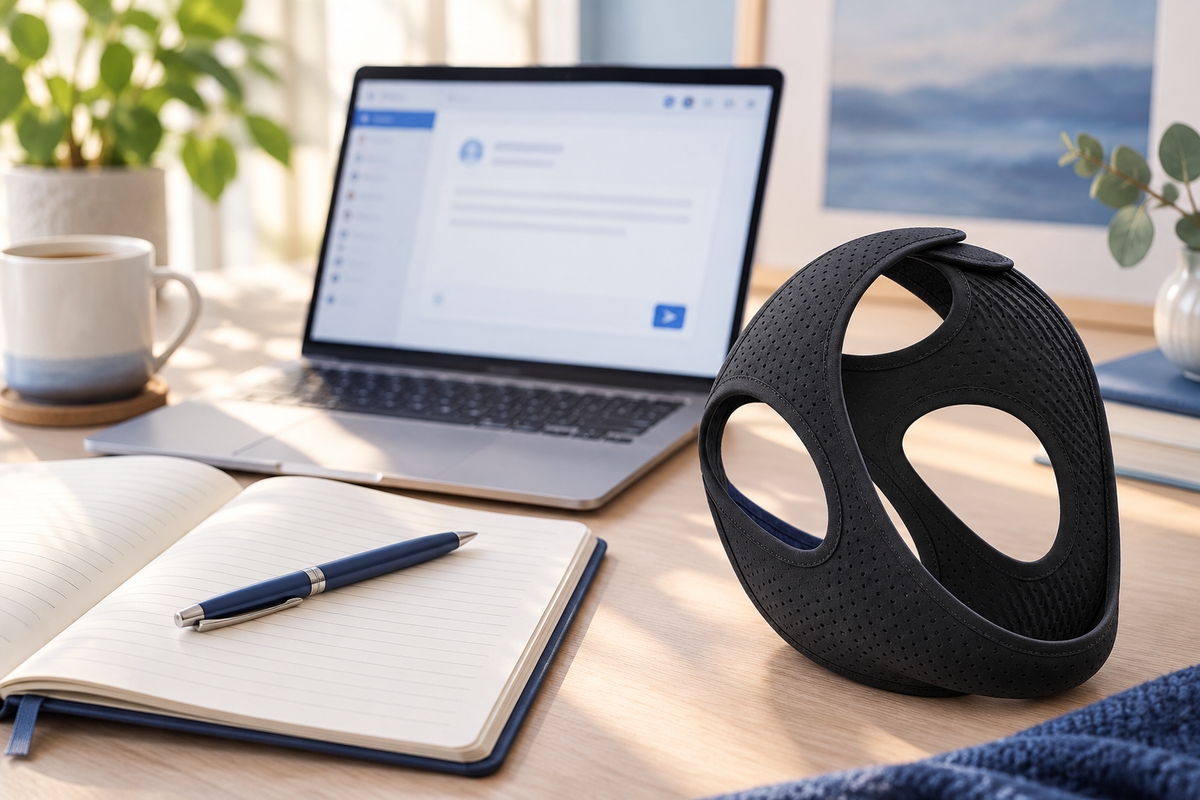
A clear message helps RestHaven support understand what you need without a long exchange. Begin with the question, then add the order or product details that relate to it.
Give the message a useful subject
Choose a simple description such as a fit question, delivery update, damaged item, or return request. If an order is involved, include its reference so the conversation can be connected with the right purchase.
In the message, say what happened and what you would like help with. For a delivery question, include the latest tracking status. For a product question, identify the measurement, fastening, or pack detail that is unclear.
Attach only relevant information
A well-lit photo can help explain a visible product or packaging issue. Show the specific area and enough context to understand it. Keep unrelated documents and other people's information out of the image.
Support may need the email used at checkout to verify an order. It does not need your account password, card security code, or full card number. Use the store's contact page to find the appropriate route.
Keep the reply chain
Reply within the same conversation when following up. That keeps the request, photographs, and agreed instructions together. Save important return or refund messages alongside your order confirmation.
For the 30 night trial, make the return request within 30 days of delivery. Explain which items you intend to return; support verifies the order and provides a prepaid barcode or label before you send the parcel back.
Put the question and order reference in the first paragraph
A helpful support message gives the team a clear starting point. Begin with the order number if you have one, the checkout email, and a short description of the issue. Then add the observation that explains the question, such as the selected pack, last tracking event, or part of the product you need help identifying.
For a pre purchase question, say which product detail is unclear without inventing an order reference. Ask about one concrete issue, such as the listed measurement or the contents of a pack. The team can answer more directly when the request does not combine unrelated assumptions about fit, delivery, and payment.
Use support@shopresthaven.com and continue in the same thread when a reply arrives. If the situation changes, add the new fact to that conversation. This keeps the original request and later information connected rather than scattering them across several messages.
What makes a photo useful?
A focused image of the relevant product or packaging detail, with enough light to see the issue. Avoid including unrelated people, documents, or personal information. A photo should support the description, not require the team to guess which part of a crowded image you are asking about.
What information should stay out of the message?
Passwords, full card numbers, security codes, bank login details, and unnecessary medical history. Product and order questions can usually begin with ordinary purchase information and a factual explanation. If more information is needed, the team can explain what is relevant. A concise, complete message gives the conversation a practical direction without requiring you to diagnose the cause of every problem yourself.
Keep the order stages separate
An order moves through several stages: placement, processing, dispatch, delivery, and any later support request. Knowing which stage you are asking about makes the information easier to interpret. A confirmation that an order exists is not the same as confirmation that a parcel has been handed to a carrier.
RestHaven states one day of processing followed by two day delivery after dispatch. These are separate parts of the sequence. Do not read two day delivery as a promise that the parcel arrives two days after the moment you press the payment button.
Use the information provided for your actual order when checking progress. A general website description explains the process, while your confirmation and tracking information identify the particular purchase. If those details seem inconsistent, ask the team to clarify the specific point.
Avoid filling a gap in the information with an assumption. A tracking reference, an order status, and a delivery message can describe different events. If you are unsure what a message means, quote the relevant wording to support without forwarding unrelated private details.
Review the information before payment
Check the selected product, pack size, and number of packs. One pair pack contains two straps; two pair packs contain four. The cart quantity is a count of packs, so read it together with the option name rather than treating either number in isolation.
Review the shipping address carefully. Include the apartment, unit, building, or other delivery detail required for the location. Check the postal code and contact information as well as the street name. A familiar saved address may still be an old address.
Look at the current total and any applicable delivery charges before authorizing payment. If a promotion is displayed, confirm that the order summary reflects its terms. A screenshot from an earlier visit is not the final record of the order you are placing now.
Use only the payment methods offered in the actual checkout. Available options may differ by store or order. Do not assume that every familiar card, wallet, or bank method is supported simply because you have seen its logo on another website.
Save the confirmation where you can find it
The order confirmation is a useful reference for later questions. Keep the order number and the email used at checkout available. These details help the team identify the purchase without asking you to reconstruct the contents from memory.
If you cannot find a confirmation, check the account or inbox you used for the order and any relevant email folders. Avoid placing a duplicate order immediately because the first message is not where you expected. Clarify the status of the original attempt before deciding what to do next.
Keep records private. Order confirmations and parcel labels can contain contact details or addresses. If you share a screenshot with support, include only what is needed for the question. Do not post the confirmation publicly as part of a review or social media comment.
A simple folder or saved email is sufficient. You do not need a new tracking system to manage one purchase. The aim is to have the useful details ready when a question arises, rather than creating an administrative task that is larger than the order itself.
Read tracking as a sequence of events
When tracking becomes available, use the reference and link provided for your parcel. Read the event description and date together. A tracking page may show information about label creation, carrier handling, transit, or delivery, and those entries should not be treated as interchangeable.
If the status seems unclear, note the last visible event before contacting support. A message that includes the order number and the specific tracking entry is easier to answer than a general statement that nothing has happened.
Do not invent a carrier deadline from a single unchanged status. Equally, do not assume an unexplained issue will resolve itself if the information is inconsistent with the expected process. Ask the team to review the order and provide the appropriate next step.
Keep the conversation focused on the parcel involved. If you have several orders or are also managing a return, identify which tracking reference belongs to which shipment. Outbound delivery and return delivery are separate journeys with separate records.
Report a delivery problem with the relevant details
Begin with the order number, checkout email, and a concise description of the issue. State whether the question concerns an address, missing delivery, damaged packaging, an incorrect pack, or a missing item. The category helps the team understand what needs checking.
Describe what you have actually observed. If the parcel arrived damaged, explain the visible condition. If the pack count seems wrong, compare the number of straps received with the written order line. Avoid guessing at the cause before the order has been reviewed.
Photos may help show an item or packaging issue if you choose to provide them. Keep the frame focused on the relevant detail and avoid including unrelated people or personal documents. Parcel labels should be shared only through the support conversation when needed.
Hold on to the item, packaging, and order information while the team explains the next step. Do not send a parcel to an address you found elsewhere or assume that an exchange, refund, or replacement has been approved before receiving the relevant instructions.
Make one clear support conversation
The official contact address is support@shopresthaven.com. Use a subject that identifies the order or question. Put the most useful details near the beginning so the team can understand the request without piecing it together from several unrelated messages.
If you receive a reply, continue in the same conversation where possible. That keeps the original description, supporting details, and response together. Starting several threads about the same issue can make it harder to see which information is current.
Do not send passwords, full card numbers, security codes, or bank login details. They are not needed for a normal order question. If your concern involves a payment entry, describe the issue without exposing credentials or the complete payment information.
Keep the requested outcome clear but allow the team to verify the order. Asking for the current status, clarification of a pack count, or instructions for a return gives the conversation a practical destination. Avoid assuming that a particular resolution has already been confirmed.
Understand the difference between a delivery question and a trial return
A delivery question concerns the order reaching you or the contents arriving as expected. A trial return concerns your decision about keeping the product after delivery. The same support address can help direct the request, but the information and next steps may differ.
RestHaven offers a 30 night trial with a free return request available within 30 days of delivery. Normal trial use does not by itself make the purchase ineligible. Keep the delivery date accessible so the team can verify the trial window when you contact them.
To request a return, identify the item or pack and wait for verification. The team provides a prepaid return label or carrier barcode with instructions. For a partial pack return, confirm the items and refund amount before posting the parcel.
The returns page explains the current process. If an item is damaged or incorrect, describe that issue directly rather than trying to force the question into a standard trial message. Clear information lets the team explain the appropriate route.
Follow a return through to its final record
Use the carrier and destination given in the return instructions. Keep the drop off receipt and tracking reference after handing over the parcel. Those records connect your handoff to the return request and are useful if you need to ask about progress.
Once the parcel is received, the team checks it against the request and issues the refund for the returned items to the original payment method. A carrier's delivery event and a refund confirmation describe different steps, so do not assume that one message automatically means the other has occurred.
Your payment provider may need additional time to display the credit after it is issued. Keep the refund confirmation and review the relevant payment record. If something remains unclear, reply with the order and return reference instead of sending sensitive banking credentials.
Clear records make the order easier to manage from beginning to end. The process does not require constant monitoring; it requires knowing which stage you are checking, keeping the relevant reference, and contacting the team when the information does not answer your question.
Put the information to work
Choose the one question from this guide that matters most to your situation and write down the next action it calls for. That might mean checking the supplied instructions, reviewing an order detail, asking the team a specific question, or deciding that you need more information before purchasing. You do not need to complete every possible step at once.
Keep the relevant product information and any support reply together so you can find them when needed. Use the current RestHaven product page for the available pack options and prices, and the returns page for the 30 night trial process. The team can be reached at support@shopresthaven.com.
For a related practical question, continue with One Day Processing and Two Day Delivery Explained. Each guide can be read independently; use the contents links to return to the section that answers your immediate question.