
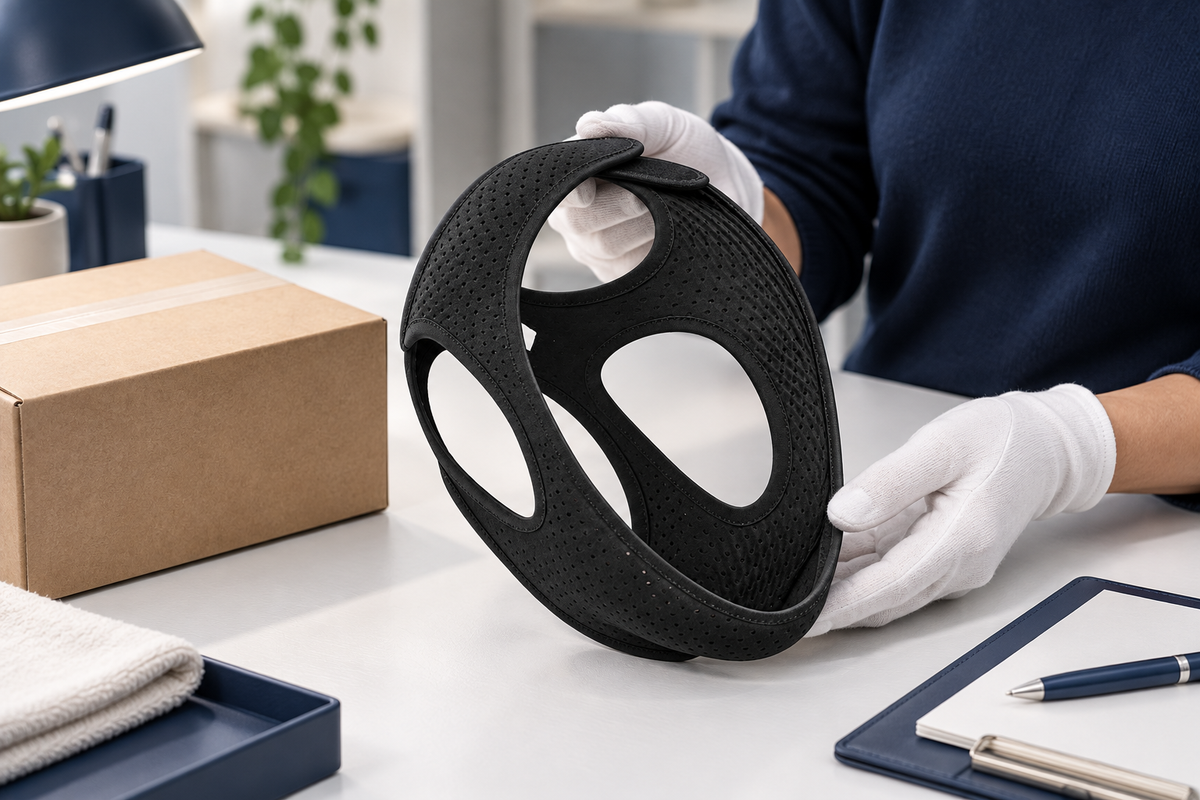
When RestHaven receives an approved return, the returned items are checked before the refund is issued. Keep your return approval and tracking record until you receive the refund confirmation.
Receipt and refund are separate stages
A carrier scan showing delivery means the parcel has reached the recorded destination. It does not necessarily mean the contents have already been checked and the refund completed.
RestHaven inspects the returned items against the approved request. For a full pair or trio return, that includes the straps belonging to the complete pack. A partial return should match the items and refund arrangement agreed with support before shipping.
Watch for confirmation
After receipt and inspection, the approved refund is sent to the original payment method. Keep the confirmation so you can identify the amount and the order it relates to.
The credit may not appear in your account at the exact moment confirmation is sent. Payment-provider processing can affect when it becomes visible. Use the confirmation and your provider's transaction record to distinguish an issued refund from an unexplained delay.
Ask about an unclear status
If you need an update, reply in the existing support conversation. Include the order number and return tracking reference, and state whether the carrier shows delivery or whether you have already received a refund confirmation.
Keep the request focused on the stage that is unclear. Do not email full card details or passwords. The order and return references allow support to investigate while keeping the purchase, parcel, and refund connected in the same record.
Distinguish carrier delivery from the team's completed check
A return tracking page may show that the parcel has reached its destination. That event is useful, but it is separate from the team checking the returned items against the approved request and issuing the refund. Keep those stages distinct when reading updates.
The check connects the parcel contents with the order and the agreed return. For a complete pack, that includes the straps associated with the pack. If a partial return was approved, the relevant arrangement should already be in the support conversation so the request and parcel can be matched clearly.
After receipt and checking, the refund for the returned items is issued to the original payment method. Keep the refund confirmation when it arrives. The payment provider may need additional time to display the credit, so a carrier event, refund confirmation, and visible account credit are three different records.
What if you want an update after tracking shows delivery?
Reply to the existing return conversation with the order number and return tracking reference. State the last event you can see and ask about the current stage. Avoid assuming an exact processing deadline that has not been confirmed for your request.
What if the contents of the parcel need clarification?
Refer to the approved request and describe what you sent. Keep the drop off receipt and any relevant packing record available. Do not create a new return or send additional items independently before the team explains the next step. One connected conversation helps resolve the actual question without confusing separate parcels, order lines, or refund amounts.
Understand the decision the trial is there to support
The RestHaven 30 night trial gives you time to decide whether the strap suits your routine. It is a period for considering the actual item, its fit, and the practical experience of owning it. It is not an obligation to keep trying an uncomfortable setup for a particular number of nights.
A free return request can be made within 30 days of delivery. Normal trial use does not by itself make the purchase ineligible. Read the returns page before you need it so that the steps are familiar if you decide to send the item back.
Keep your own decision separate from a campaign image or another person's preference. A photograph can show product styling, and a partner can share observations, but neither determines whether a wearable accessory feels suitable to you.
If the strap causes pain, irritation, breathing difficulty, or persistent uncomfortable pressure, remove it. Questions about medical suitability or use with prescribed equipment belong with an appropriate clinician. The trial should make a purchase decision easier, not encourage continued use through a problem.
Keep the delivery date and order details together
The delivery date matters because the return request window is tied to receiving the order. Save the order confirmation and the delivery information in a place you can retrieve. This avoids relying on memory when several parcels or dates are involved.
Note the order number, the email used at checkout, and the selected pack. These details help the team identify the purchase and understand what you want to return. If you bought more than one pack, distinguish the relevant line from the rest of the order.
Do not assume that a holiday, trip, or delay in opening the parcel automatically restarts the trial. If your circumstances create a question about the timing, contact support and ask directly. A clear answer is more useful than an assumption made close to the end of the window.
Keep the records private. Order emails and parcel labels may contain personal contact information. There is no need to post those details in a public comment to ask for assistance; the official support conversation is the appropriate place for relevant order information.
Begin with a concise return email
Email support@shopresthaven.com within 30 days of delivery. Include the order number, checkout email, and the item or pack you wish to return. A brief explanation can help the team understand the request, but you do not need to write a long account of your experience.
State clearly whether you are returning the complete pack or asking about part of it. The team needs to know which items are involved before providing the appropriate instructions and confirming any partial pack refund amount.
Use the same conversation for follow up where possible. Keeping the request and reply together makes it easier to find the label, barcode, destination, and later status messages. Multiple separate threads can make an otherwise simple process harder to follow.
Do not send passwords, full card numbers, security codes, or bank login information. The original payment method is used for the refund process. A normal return request does not require you to email credentials or authorize an unrelated payment.
Wait for verification and the correct return method
The team checks the order and trial window, then emails the return instructions with a prepaid label or carrier barcode. This step connects the return to the purchase and gives you the method that RestHaven has arranged for the parcel.
Use the destination and carrier specified in that message. Do not copy an address from the original shipping label, a search result, or another customer's experience. The correct return destination is the one provided for your request.
A label and a barcode may be used differently by the carrier. Read the instructions that accompany the actual method you receive. If you do not understand whether printing is required or where the barcode can be used, ask for clarification before traveling to a drop off point.
The return is free through the prepaid method provided by the team. Do not independently pay for a different service and assume that reimbursement has been agreed. If the supplied method is impractical for your situation, explain the issue and ask about the next step.
Confirm the contents before sealing the parcel
For a complete pack return, include all straps from that pack. Compare the contents with the approved return request and the original pack description. The cart quantity counts packs, so make sure you are not confusing one pair pack with two separate pack purchases.
For a partial pack return, contact support first to confirm the items and refund amount. Do not calculate the amount yourself by dividing the order total and treat that calculation as the approved refund. Pack pricing and the agreed return need to be matched clearly.
Use suitable protective packaging so that the items can travel together and be identified on receipt. Follow any packing directions in the return email. Keep unrelated belongings, personal notes containing sensitive information, and items from another order out of the parcel.
Before sealing it, check the destination instructions once more. If a label needs to be attached, use the current label for this return. If you are using a carrier barcode, follow the carrier method described in the message rather than attaching an old or unrelated shipping label.
Keep the handoff record after drop off
When you hand the parcel to the specified carrier, keep the receipt and tracking information provided. A return email records the agreement and instructions; the carrier receipt records the handoff. Both can be useful, but they describe different parts of the process.
Store the receipt with the return conversation. A clear photograph or saved digital record may help you find it later, provided the details remain readable. Do not discard the only reference immediately after leaving the drop off point.
If the tracking appears unclear, note the latest visible event and ask the team about the return. Identify the return reference rather than sending the outbound order tracking by mistake. The original delivery and the return parcel are separate journeys.
Avoid repeatedly creating new labels or posting another parcel because a status has not changed in the way you expected. Clarify the current return first. One coherent record is easier to resolve than several overlapping attempts with different references.
Distinguish receipt, inspection, and refund issue
The return process continues after the carrier delivers the parcel. The team receives it, checks it against the return request, and issues the refund for the returned items to the original payment method. A delivery scan does not itself confirm that every later step has been completed.
If the team needs to clarify something about the contents, respond in the same conversation with the relevant details. A complete pack return should match the items agreed in the request. If you arranged a partial pack return, keep the confirmation of the items and amount available.
RestHaven emails when the refund has been issued. That message is a useful record to retain. Your bank or payment provider may need additional time to display the credit, so the refund issue message and the visible account entry may not appear at the same moment.
If you need to ask about the status, include the order number, return tracking reference, and the specific stage you want clarified. Do not send banking credentials. A precise question helps the team identify whether you are asking about the parcel, the inspection, or the issued refund.
Finish with a decision you can explain simply
You do not need an elaborate argument for deciding that a product does not suit your routine. A clear preference about comfort, handling, or fit is enough to guide your own choice. The support process exists to make the practical steps understandable.
If you keep the strap, retain the instructions and use the care guidance for the exact item. If you return it, keep the relevant records until the parcel and refund are resolved. Either outcome can follow a thoughtful trial.
For damaged, incorrect, or missing items, describe the issue directly to the team rather than assuming the normal trial description answers every question. The contact page and support@shopresthaven.com provide the route to ask about the actual order.
The useful endpoint is clarity: you know what you decided, what was returned if applicable, and which confirmation completes the process. A 30 night trial should leave you with room to make an honest choice about the product, without pressure to keep it simply because you began trying it.
Put the information to work
Choose the one question from this guide that matters most to your situation and write down the next action it calls for. That might mean checking the supplied instructions, reviewing an order detail, asking the team a specific question, or deciding that you need more information before purchasing. You do not need to complete every possible step at once.
Keep the relevant product information and any support reply together so you can find them when needed. Use the current RestHaven product page for the available pack options and prices, and the returns page for the 30 night trial process. The team can be reached at support@shopresthaven.com.
For a related practical question, continue with Understanding Your Refund Confirmation. Each guide can be read independently; use the contents links to return to the section that answers your immediate question.